LAMBDA & Power Query Installers

Stop copying logic. Deploy it.

What Is It

Build once. Use deliberately.

Install reusable LAMBDA libraries and Power Query definitions directly into workbooks. Versioned. Inspectable. Updatable.

One person builds the formula. Five people need it. Instead of sending a workbook and asking everyone to copy it by hand, install the same function into all five. When it changes, update it from the same source.

Power Query works the same way. Build the data process once. Install the same definition wherever it is needed.

€0 to download the add-ins. No licence, no subscription, no expiry.

If your team relies on Excel, the logic inside it should not depend on who copied the last workbook.

Download links below.

Phronesis Add-ins
LAMBDA Installer · Power Query Installer
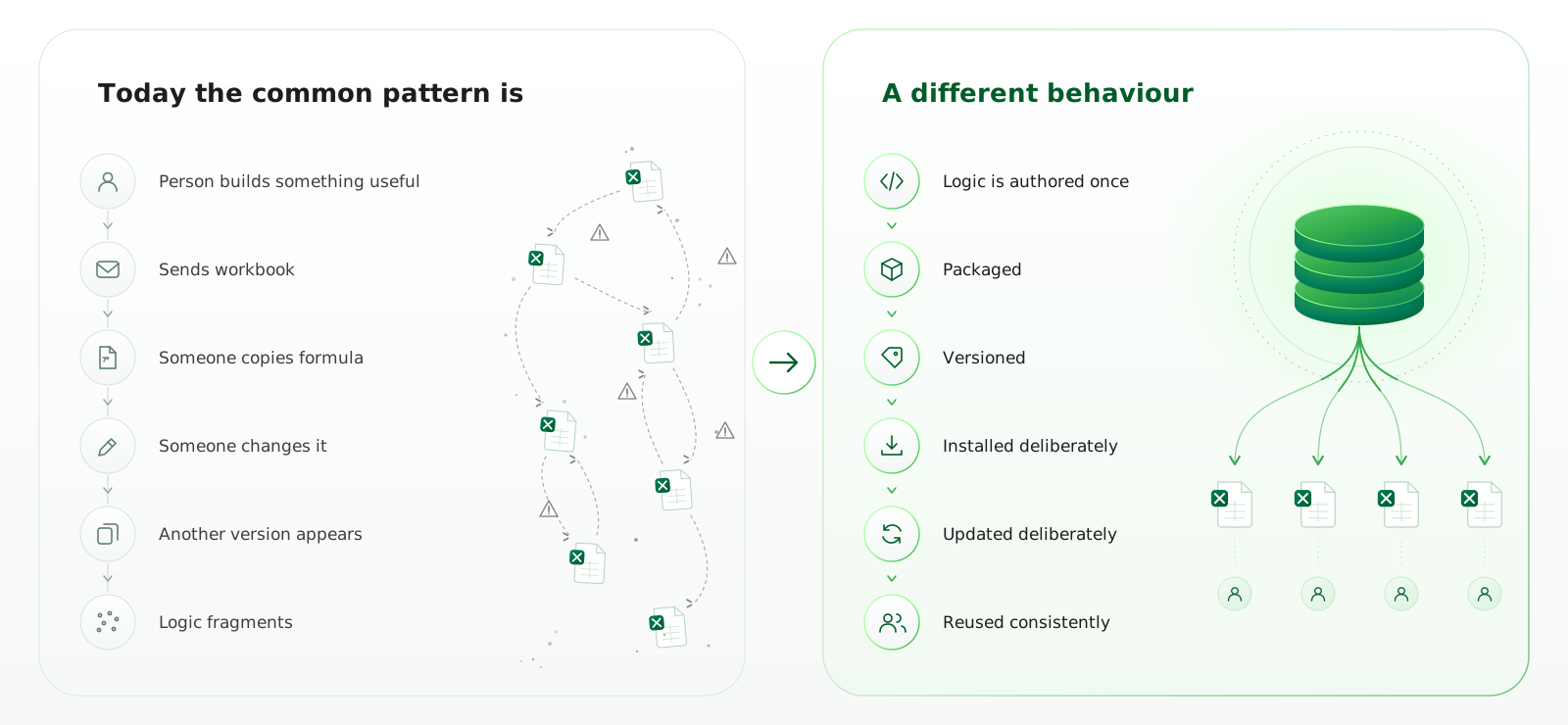
Comparison between copying Excel logic across workbooks and deploying reusable LAMBDA functions and Power Query definitions consistently.

Phronesis LAMBDA Installer

Reusable functions. Installed deliberately.

A useful Excel function should not have to travel from workbook to workbook by copy and paste.

The Phronesis LAMBDA Installer reads a JSON library and installs its functions directly into the active workbook. One analyst can build a function once, package it with its name, description and version, and let others install the same definition where they need it.

When the function changes, install the updated library again.

The workbook remains ordinary Excel. The logic simply has a controlled way in.

Requirements and limitations

Current release: Excel on Windows only. macOS compatibility has not been validated.

Excel requirement: Excel for Microsoft 365 or Excel 2024. Individual libraries may also use newer Excel functions, which must be supported by the recipient’s version of Excel.

The installer deploys functions; it does not validate the underlying business logic. Functions are installed into individual workbooks and do not update everywhere automatically.

Libraries are JSON files and should only be installed from a source you trust.

LAMBDA Installer add-in, demo JSON file and installation guide available here: Download_LAMBDA_Installer

Phronesis Power Query Installer

Reusable queries. Installed deliberately.

A good Power Query process should not have to be rebuilt every time another workbook needs it.

The Phronesis Power Query Installer reads a JSON library and installs its query definitions directly into the active workbook. A proven import, transformation or data quality process can be packaged once and reused wherever it is needed.

Local details, such as source folder paths, can remain workbook parameters.

Reuse the process. Keep the local details local.

Requirements and limitations

Current release: Excel on Windows only. macOS compatibility has not been validated.

Excel requirement: Excel must support Power Query. Each installed query must also be able to access the files, folders, databases, credentials, connectors or other resources required by its Power Query M code.

The installer deploys query definitions. It does not refresh queries, choose load destinations, load results to the Data Model, manage credentials or repair unavailable data sources.

Successful installation means the query definition was deployed into the workbook. It does not guarantee that the query can refresh or that the underlying business logic is correct.

Libraries are JSON files and should only be installed from a source you trust.

Power Query Installer add-in, demo JSON file and installation guide available here: Download_Power_Query_Installer

Whenever it feels right.

Contact: info@phronesis-solutions.com.

Initial calls are scheduled for 30 minutes. Most take 15–20.

{[(